
Product Design
Welcome to my Product Design portfolio! Here you will find design processes, ideas, and endproducts I have created inside and outside the school. I hope you enjoy them!
Le-Go
Let’s-Go: your intelligent Gym buddy!
Design Brief
Provided by class
Develop your own use case and specific personas to design for. Implement a gesture design, voice user interface, and an Augmented reality prototype in Protopie.
Defined use-case
Comming up with the idea
I started by imagining in which area of my life an AR app would help, and I quickly realized I could solve a problem many of my friends and I have: knowing what to do at the gym.
Querying on forums like Reddit showed that we are not the only people facing that. Many others are especially confused when switching gyms -or going for the first time- especially on how the machines work.
Personas
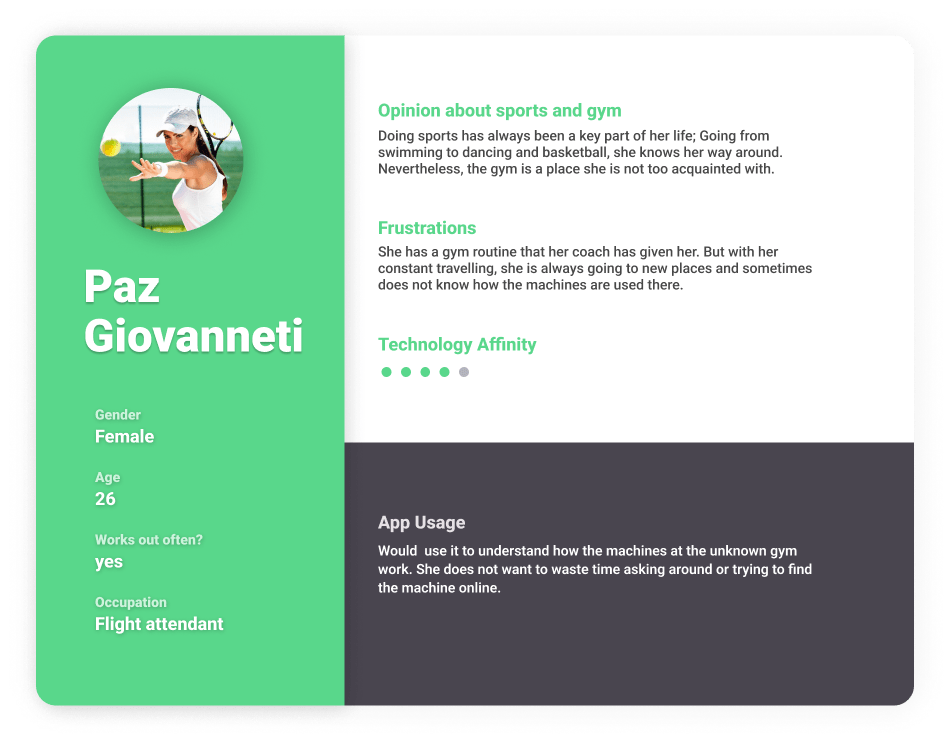
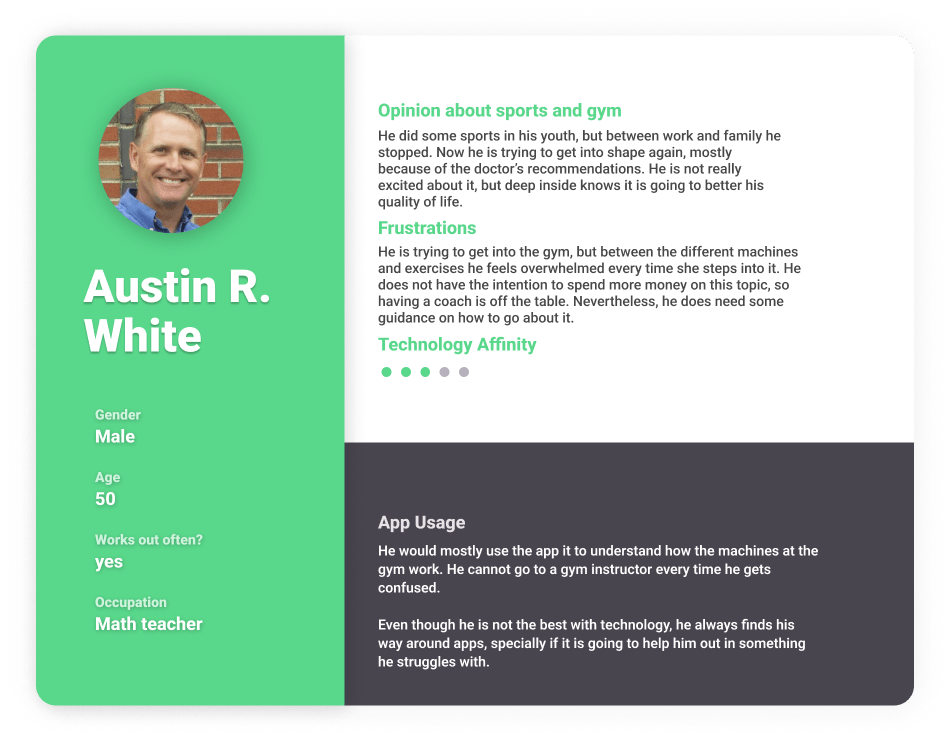
Personas should be real: people who, like us, struggle. And so Paz and Austin were created. They covered a full spectrum: younger, more active users already into sports to older, less-interested folks who needed a simple solution.
Solution
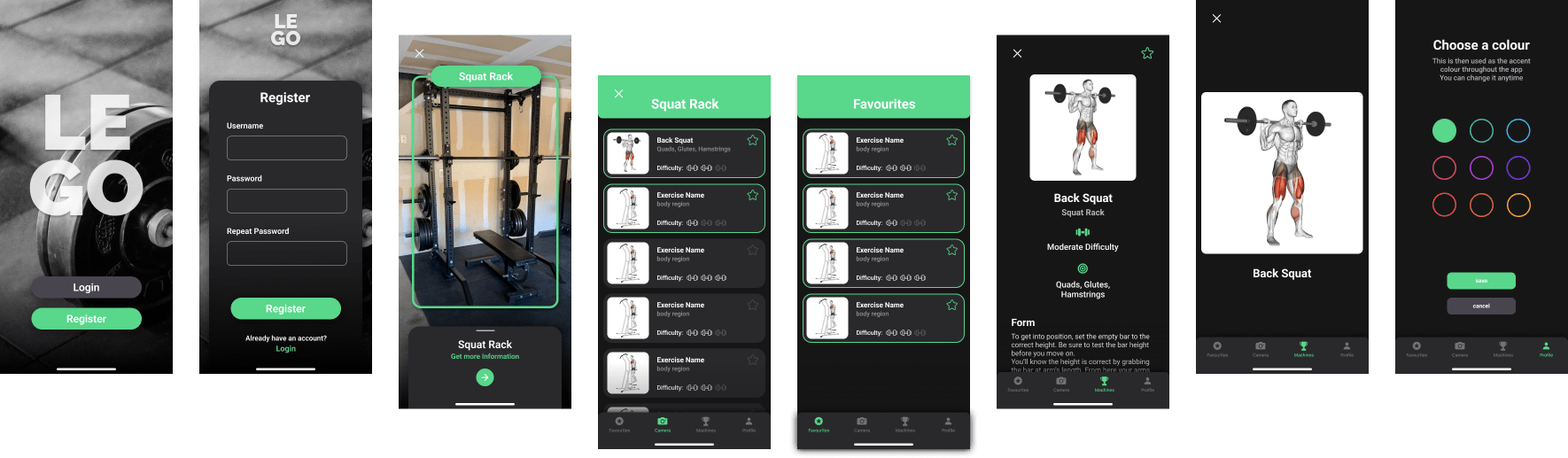
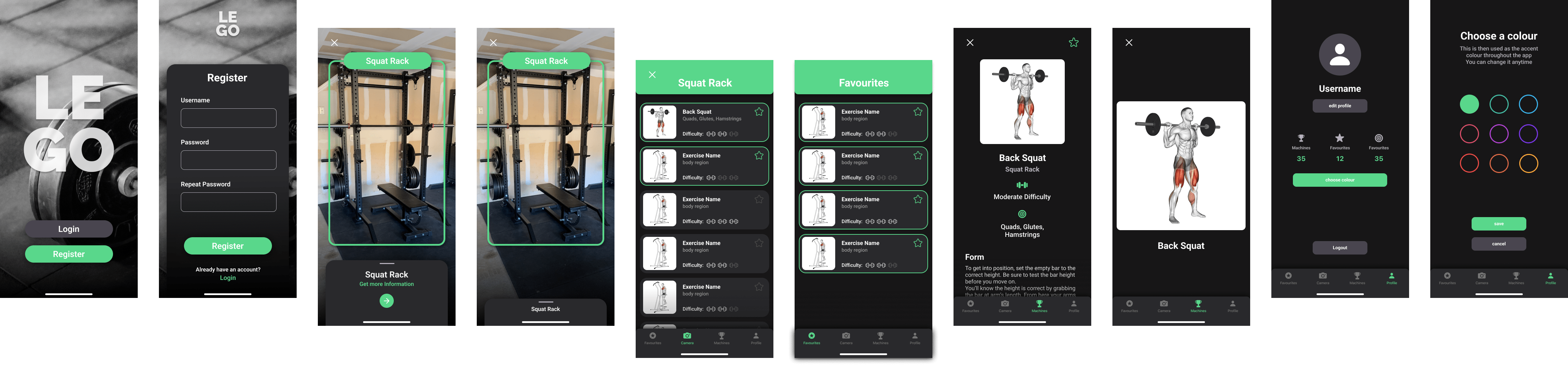
An AR app was the solution! Through the camera, it would run a machine learning-image recognition algorithm to spot which machine was being targeted. And after detecting the machine, it would show the name and the possible exercises that could be carried out using it.
Functionalities
Help new gym goers
Get an overview and explanation of exercises for machines using AR
Gamification
Collect a trophy for every gym equipment you scan
Personalisation
Choose your own accent colour
Organisation
Save exercises to favourites to have quick access to them
Mictlán: Beyond the colors
…And Xolotl!
From design brief to videogame implementation: How Xolotl has evolved during three semesters, two classes, and countless Procreate files. And how my first version of Mictlán is born!

The quest: my formal intro to videogames
Winter semester 2021
During the first semester of my bachelor’s, we had the challenge of developing a game idea from start to end. It was and continues to be an amazing challenge!
Want to discover more about this game and character creation? Check it out here!
Feel Better
A mobile application that will give the user a new shot at nutrition an health.
Design Brief
Given by User Interface Prototyping class
Design a mobile application where you must define the users, their needs, and the functionalities we will offer them. Try to be as innovative with your idea and approach as possible.
Solution
Developed by me in Fall 2022
Feel-better is the mobile app that will let the user track their food allergies and intolerance. These can either come from analysis or empirical results they have had.
We aim to make nutrition and wellness an easy task and unload the need for our users to remember what makes them feel right: we will remember for them.
Functionalities
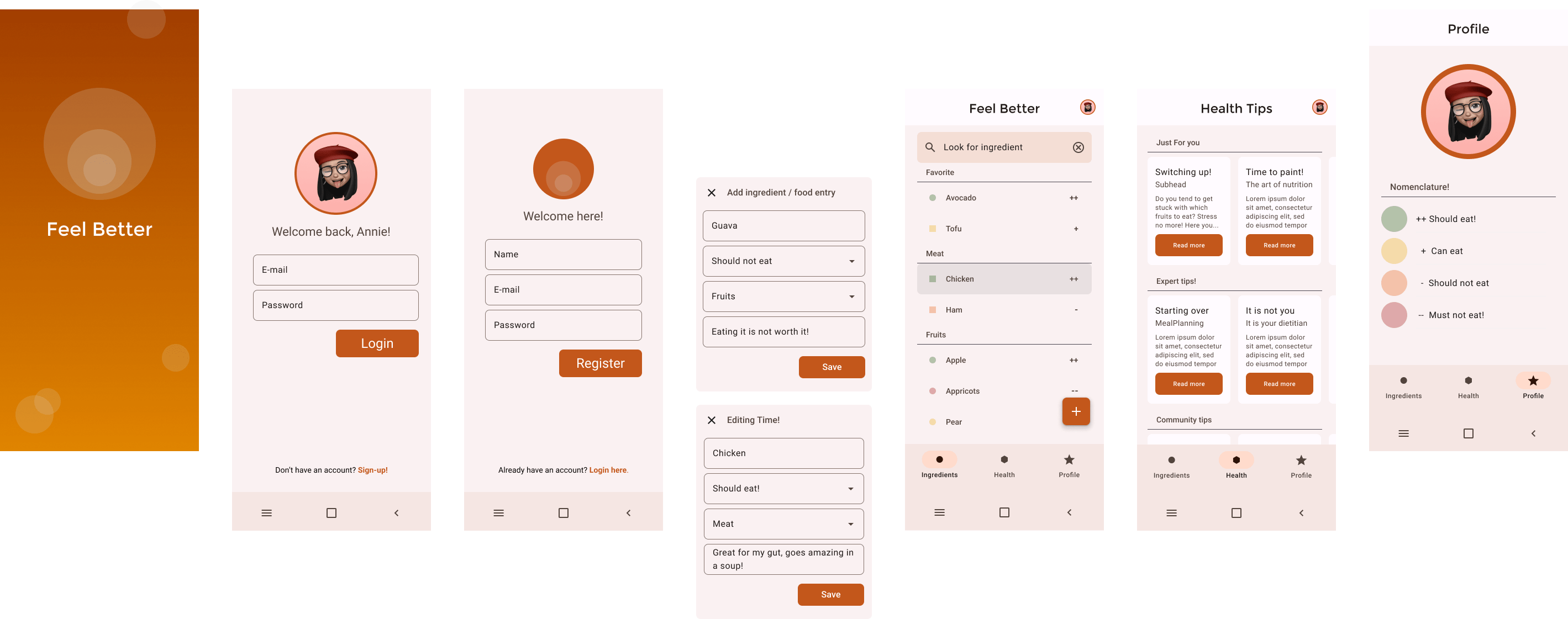
Displaying Ingredients
Users can see all of the ingredients they have added in a vertical scroller. This will be the first view they are presented with after login.
They can also click on each ingredient and be taken to the “detailed” view, where things like notes can be read.
Onboarding Flow
Users will be able to sign up and afterward log in. This will let them enter their own account, which betters personalization.
Handling Ingredients
Users can add ingredients and specify their: Name, Food Group, Level of tolerance, and Notes (e.g., how did they feel after eating it?)
They will also be able to edit their information and delete them.
Filtering Ingredients
Users will be able to filter ingredients either by name or category. This will let them quickly and easily find out their body’s relationship to whatever they are about to eat!
There will be visual queues to know how the filtering is being done!
Health recommendations
What makes us different? Not only do we help our users remember, but we let them make the most out of the information. Our health recommendation section will give them tips and tricks on using their new nutrition intel and improving their lives with it.

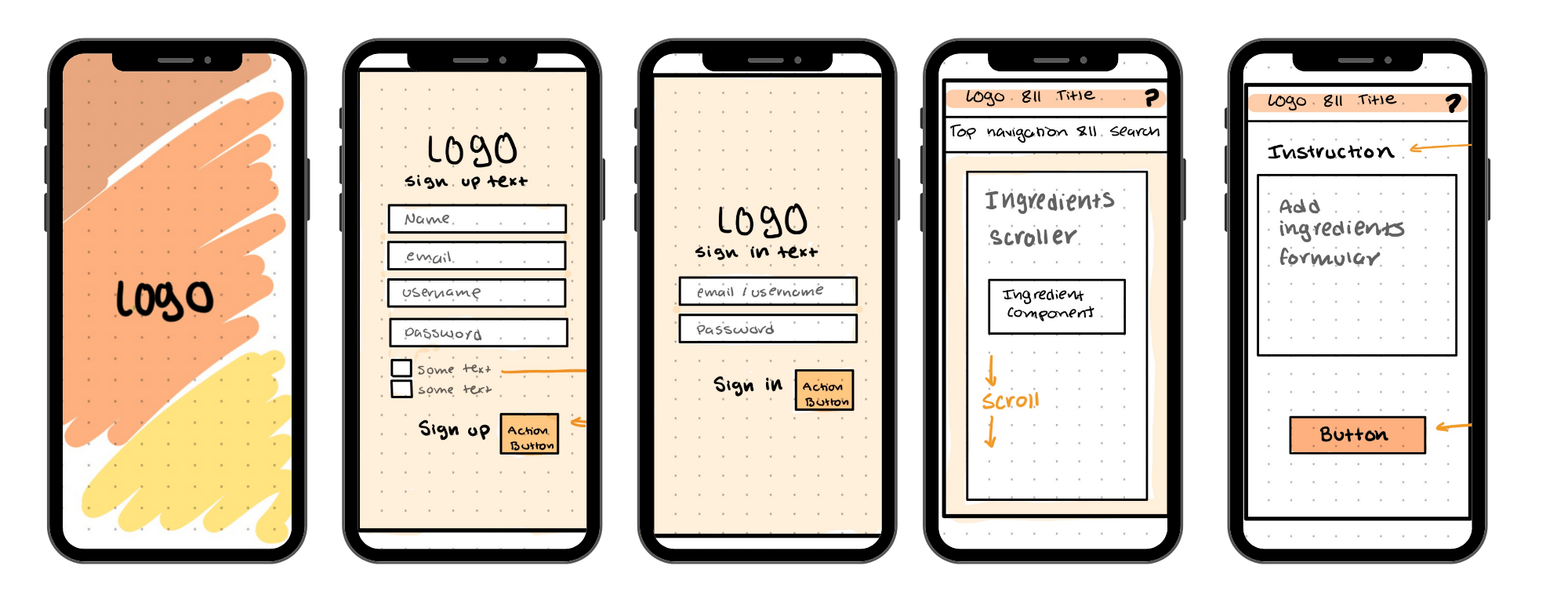
Pure – bank app
Bringing emerging technologies to life.
Design Brief
Given by Responsive Design and Prototyping class
Change the way how Digital Natives use and interact with finance applications.
Solution
Developed Spring of 2022
Pure is a Mobile and Desktop app that lets users
Personas
The design brief defined that our target group was part of the digital natives, which intrinsically narrowed the personas.
Solution
The person should be able to do a transaction, <>, <>…
Sketching
Quickly visualizing future features
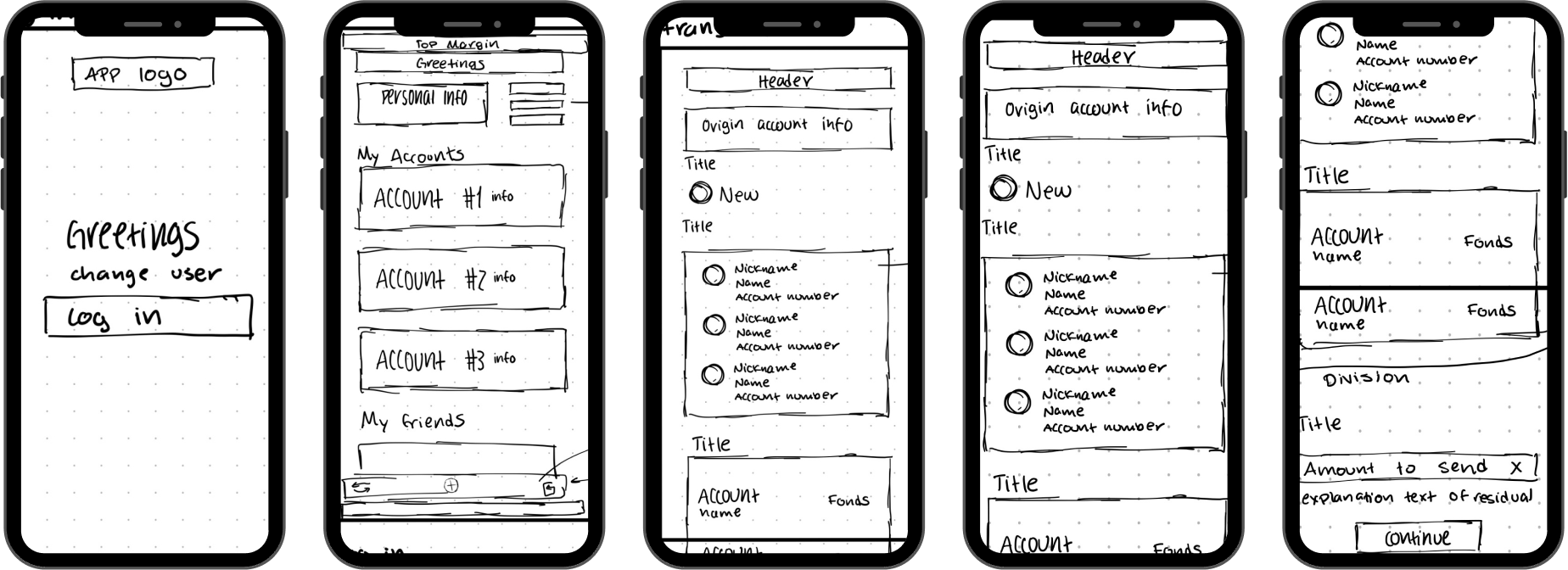
Even though we were taught first to define our use cases during the class, I realized it was hard for me to imagine what the user could do without having a visual reference to it. Hence, I sketched how the app would look while defining the functionalities.

User flow
Having the diagram of how the functionalities were connected and the flow that the user had to fulfill their stories, helped me order the screens I was having and define the needed elements (like global action buttons, formularies, navigation…)
Sketching
Quickly visualizing future features
Even though we were taught first to define our use cases during the class, I realized it was hard for me to imagine what the user could do without having a visual reference to it. Hence, I sketched how the app would look while defining the functionalities.
Hi-Fi prototype
A start of something new
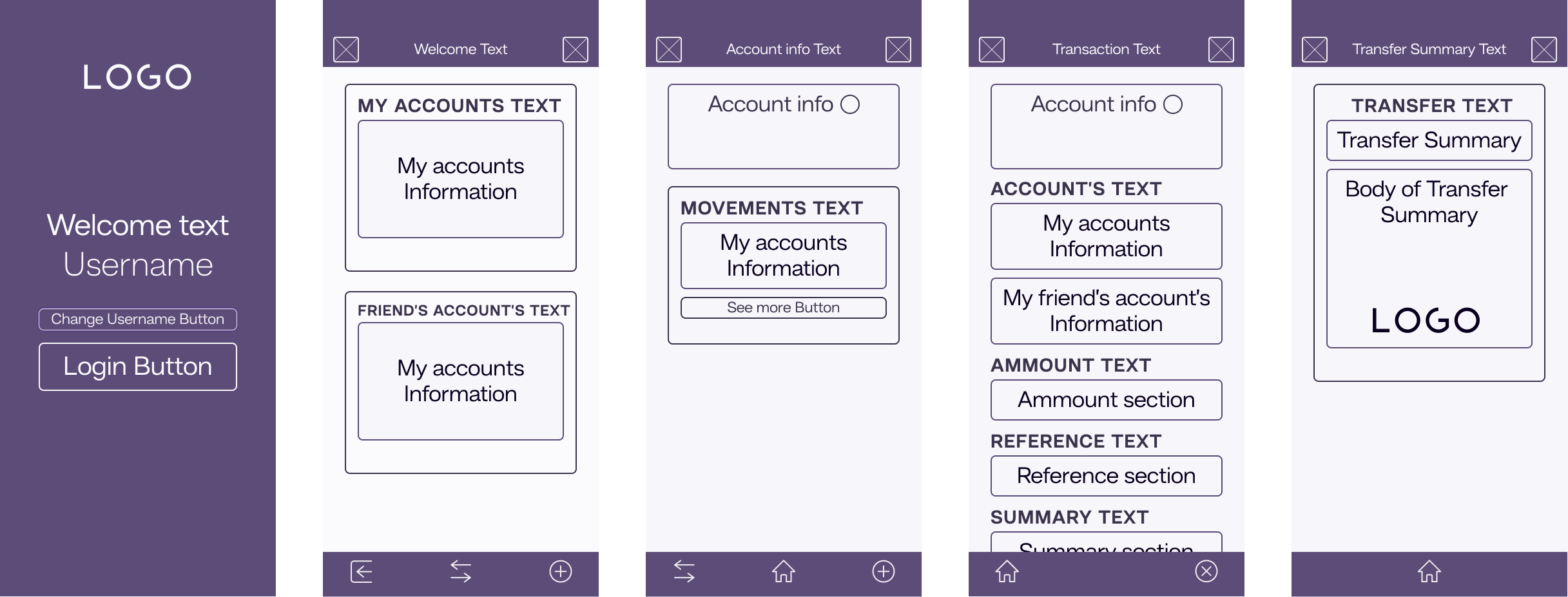
This was the first high-fidelity prototype that I made. Even though it is rough around the edges, it fulfilled its purpose of showing all of the functionalities that Pure had.